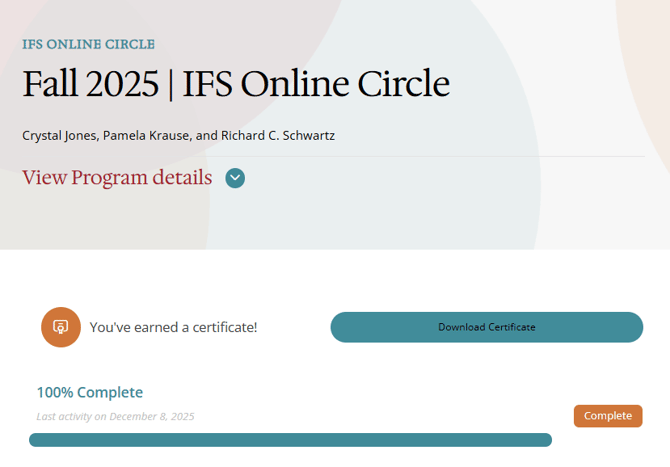
Once your certificate is issued, it will appear directly on your program page.
Get you Certificate of Completion
How to Download Your Certificate of Completion
Log in to your Learning Hub account.
Select Programs from the main menu.
Choose My Programs (this is the default view).
Locate the program you completed (it should display 100% complete).
Open the program.
At the top of the page, you will see a message indicating that you’ve earned a certificate, along with a Download Certificate button.
- Click the Download Certificate button to save a copy for your records.
If You Do Not See Your Certificate
-
Confirm that all required modules have been fully completed.
- if progress is not loading properly, review our Troubleshooting Learning Hub article.
-
Confirm that you see 100% Complete at the top of your program.
-
Wait briefly to allow the system to update your completion status.
- If the issue continues, contact the Help Desk for assistance.